

Business Central:
The AI Entry Point for SMEs
As Artificial Intelligence (AI) becomes a growing source of competitive advantage, SMEs need more than just accounting software — they need a business platform that enables them to adopt AI progressively and apply it in practical, everyday operations.
Microsoft Dynamics 365 Business Central plays exactly that role. Built on a modern ERP foundation and enhanced with Microsoft Copilot, Business Central brings AI naturally into finance and operational workflows. One of the most practical AI capabilities already delivering immediate value is:
The Challenge with Traditional Bank Reconciliation
For many SMEs, bank reconciliation is still:
- A repetitive and time-consuming monthly task
- Difficult when amounts match but descriptions differ
- Complicated when one payment relates to multiple invoices
- Labour-intensive when handling bank fees, interest or miscellaneous transactions manually
The result? Finance teams spend too much time reconciling data, and too little time analysing numbers and managing cash flow.

Traditional vs AI-Powered Automation
How AI Bank Reconciliation Works in Business Central?
Business Central’s built-in Copilot-powered Bank Reconciliation does not replace accountants — it acts as an intelligent assistant, enhancing your existing reconciliation process.
AI-Enhanced Matching for Unmatched Transactions
After standard Auto Match completes, Copilot analyses remaining unmatched bank transactions and suggests possible matches based on:
- • Amounts, dates and transaction descriptions
- • Historical posting patterns
- • Real-world one-to-many or many-to-one transactions
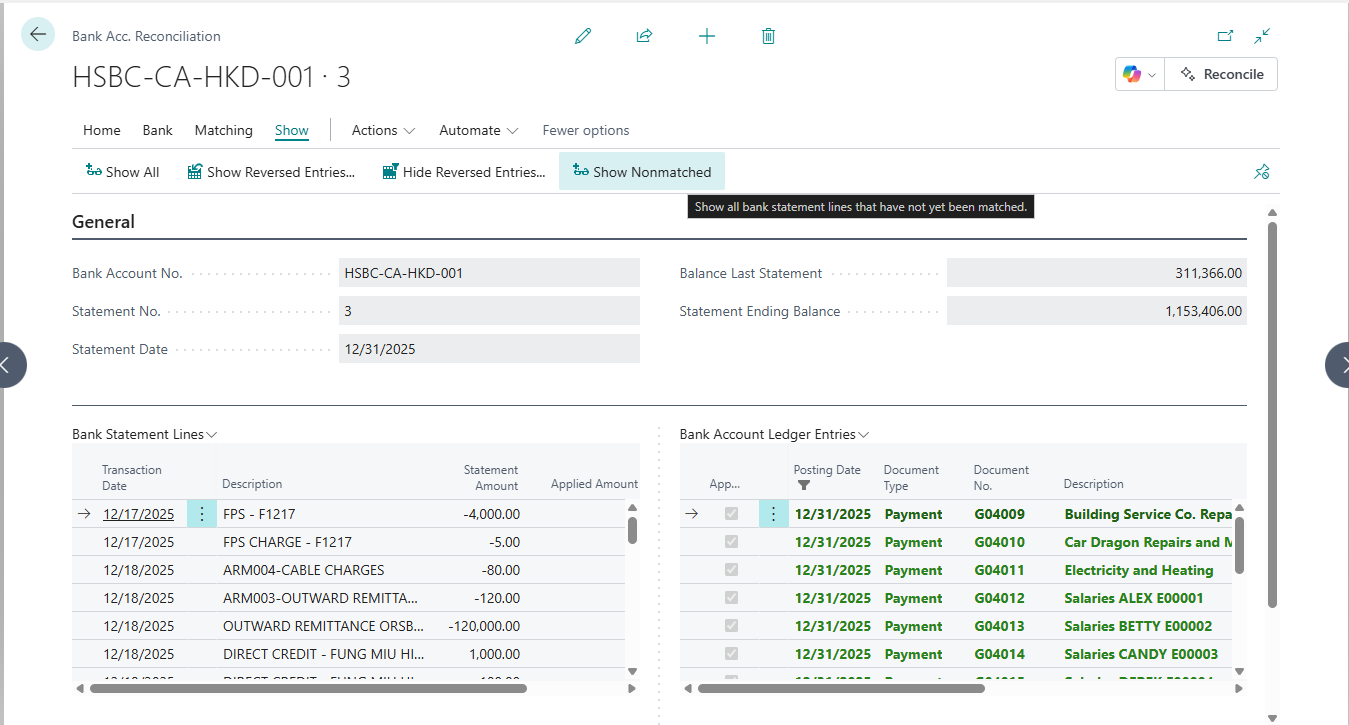
BC Screen: Automatic Pairing
BC Screen: Analysis report explanations and suggestions for accounts to be accounted for.
For bank transactions that do not map to a customer or vendor ledger — such as: Bank charges , Interest , Miscellaneous expenses
- Copilot can analyse descriptions and historical records
- To suggest the most appropriate General Ledger Account.
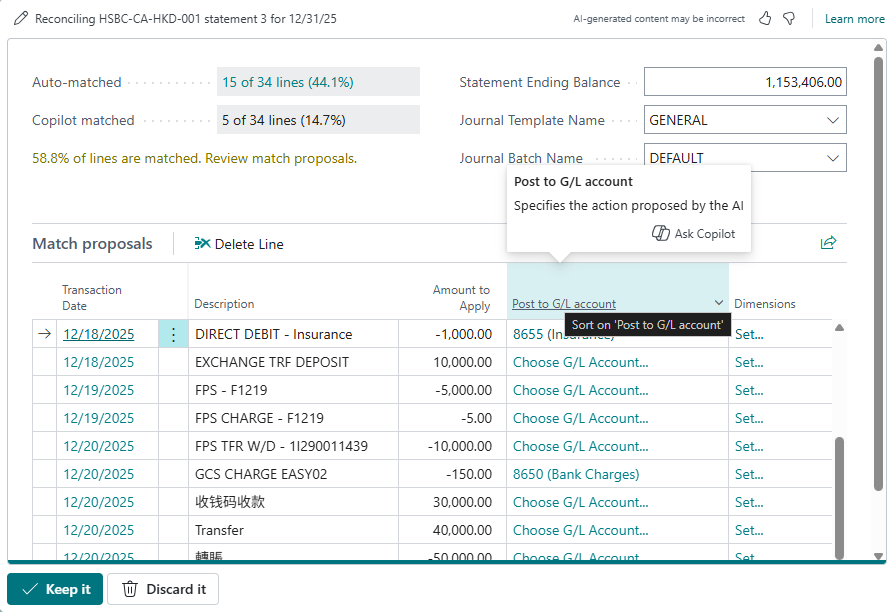
BC Screen: Analysis report explanations and suggestions for accounts to be accounted for.
Maintain Full Accounting Control
All AI recommendations remain recommendations only. Users can:
- • Review each suggestion
- • Accept or reject recommendations
- • Retain full audit, internal control and compliance requirements
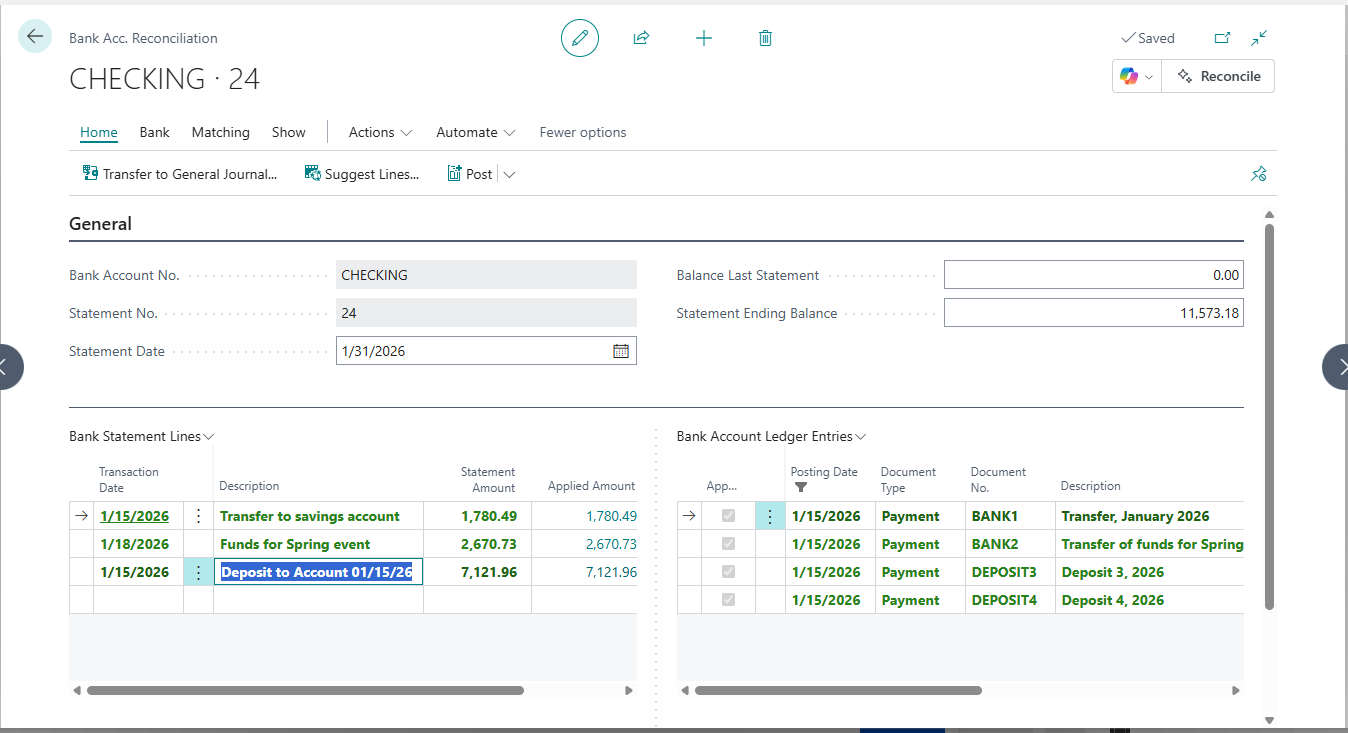
BC screen: Click the Copilot icon and select Reconcile
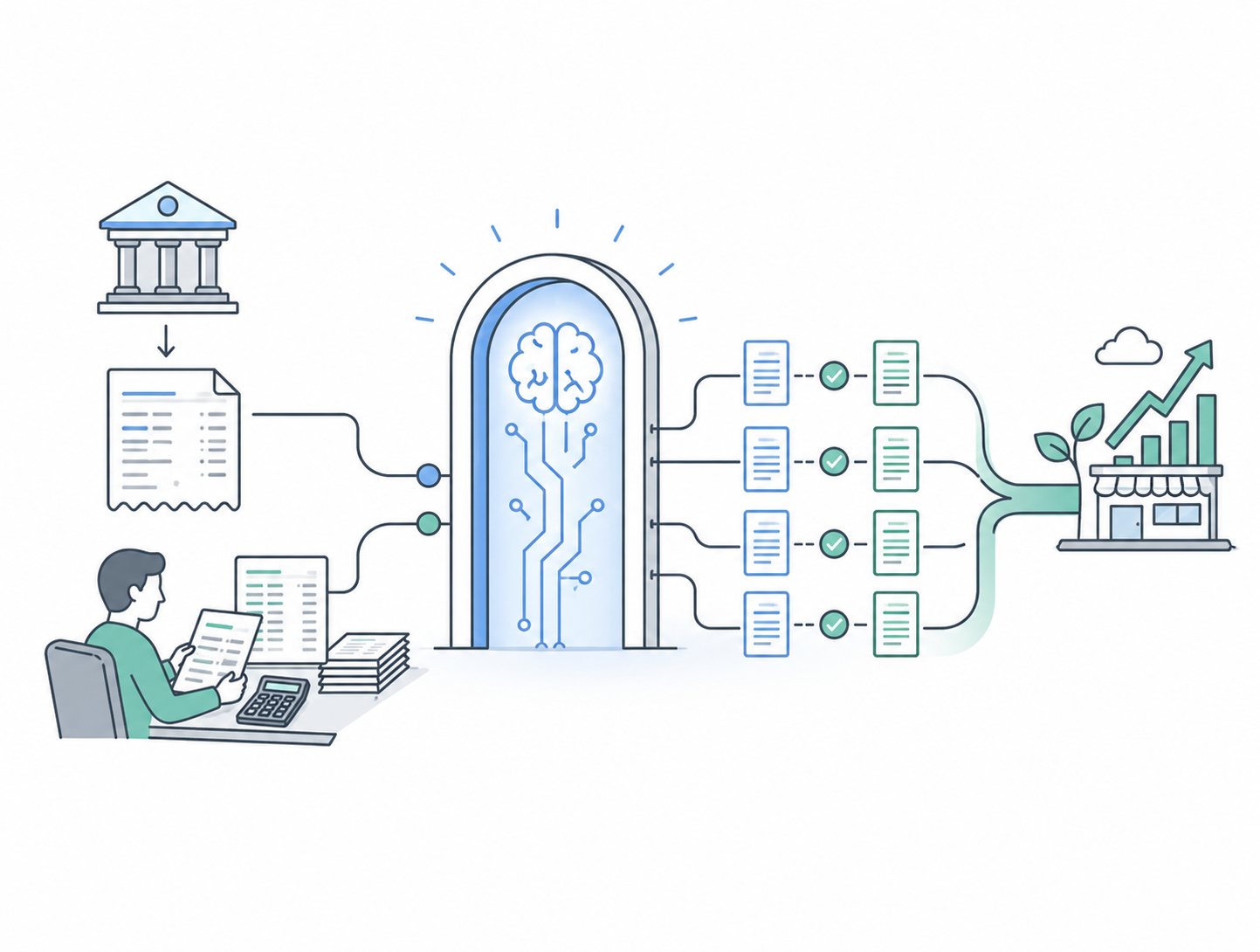
Why This Is an AI (Entry Point),
Not Just a Feature?
AI Bank Reconciliation is not an isolated function. It is part of a broader AI journey within Business Central. It helps SMEs:
- Start using AI through a familiar finance process
- Build trust in AI-assisted decision making
- Extend AI adoption over time into:AI Financial AnalysisAI Cash Flow ForecastingAI Operational Insights
👉 Business Central is not about “buying AI all at once” — it opens the door for SMEs to grow with AI。
Who Is This For?
Start with familiar bank reconciliation, and let AI fit naturally into daily finance.
Core ERP users
SMEs using Business Central as their core ERP, with regular bank transactions and heavy reconciliation workloads.
Accounting Control Focus
Finance teams that value strong accounting control, while improving efficiency and maintaining audit and compliance standards.
AI Starters
Businesses interested in AI, but prefer to begin without complex or black-box systems.
Growing Teams
Teams looking to use automation and AI to free up resources for higher-value analysis and decision-making.
AI doesn't have to begin with a complex data science project.
With AI Bank Reconciliation in Business Central, SMEs can start with a practical finance process, apply AI within a familiar ERP environment, and experience how AI reduces daily workload.
Business Central is the ideal entry point for SMEs moving toward AI.

Ready for the next step in AI?
Get in Touch today and explore your future business growth together.